
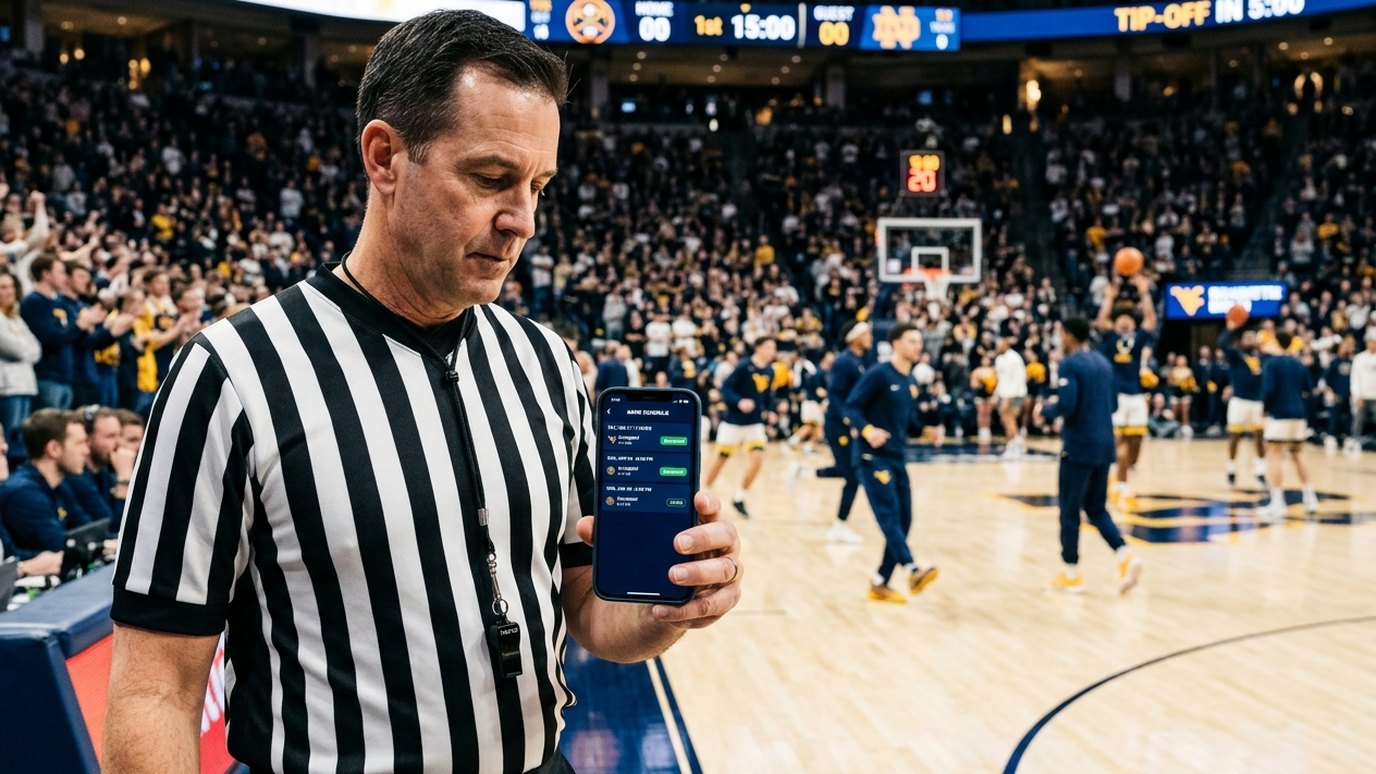
Officials Scheduling Is Here: Assign Referees, Track Availability & Get Confirmations Automatically
Schedule Guru now schedules your referees, umpires and table officials too. Build your officials list, see who is available, assign crews with conflict warnings, and let one-tap email confirmations do the chasing for you.
Every league organizer knows the feeling: the schedule is finally done, and the real work begins. Who is refereeing Saturday's 9 AM game? Did anyone confirm the scorekeeper? Why are two of your best officials booked at different venues at the same time? Until now, that work lived in group chats, spreadsheets and late-night phone calls.
Today we're launching the Officials Scheduling add-on. Schedule Guru now runs your games and the people who officiate them, in the same place you already build your schedules.
Your games are already here, so your officials just plug in
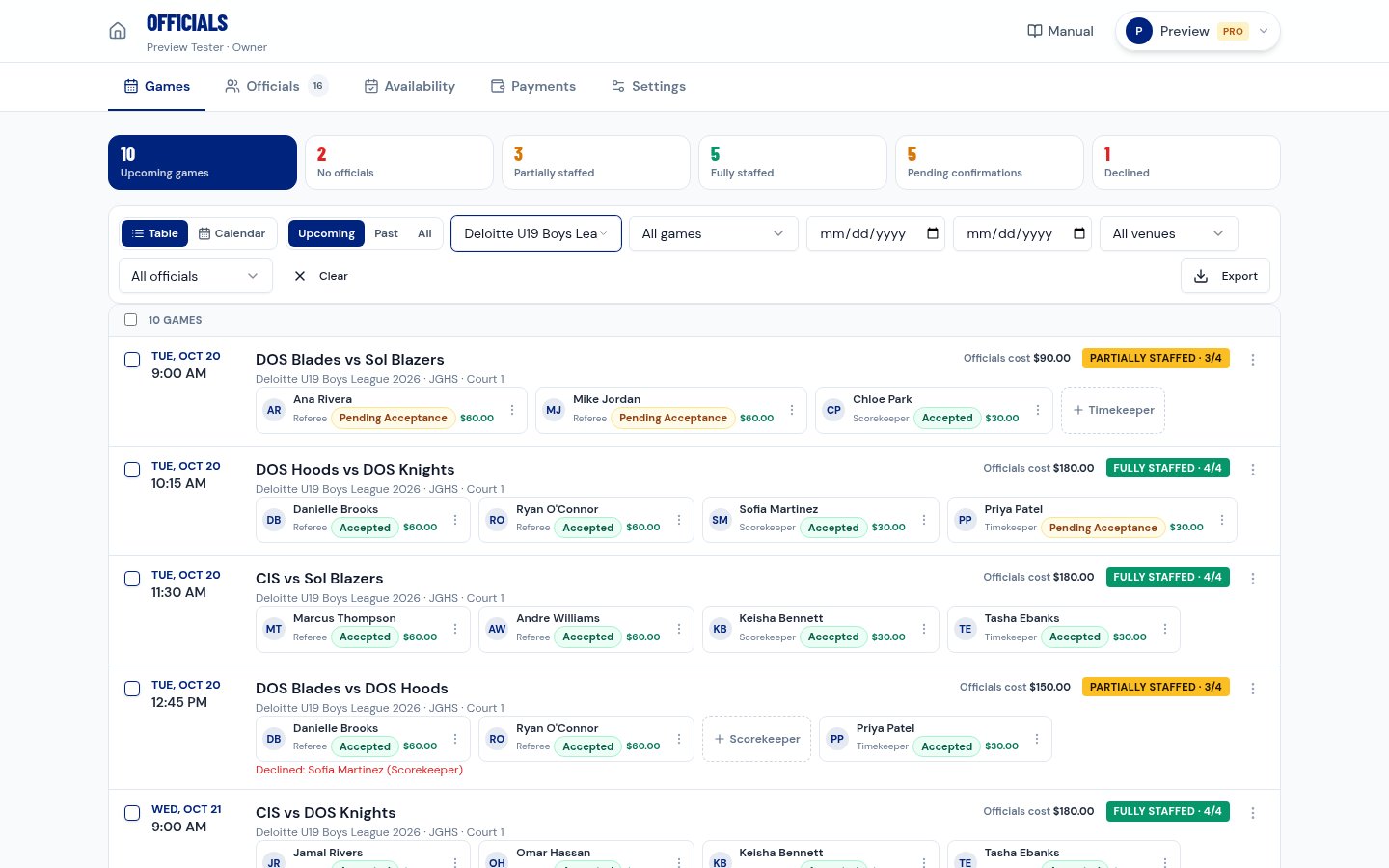
There's nothing to re-enter. Every game from your Schedule Guru schedules appears in the Officials Hub automatically, with its date, time, venue and the crew it needs. Crew sizes come from the sport (for example, basketball needs 2 referees, a scorekeeper and a timekeeper, and soccer needs a referee plus 2 assistant referees), and you can customize them per league.
Build your officials list in minutes
- Import from CSV or Excel, or add officials one at a time with their sports, certifications and preferred positions.
- Share one sign-up link in your officials' group chat, and they add themselves with a free account.
- Send personal invites and see at a glance who is Invited, who has Joined, and who has shared their availability.
Know who's available before you assign
Officials set their weekly hours and mark specific dates they can or can't work, all from their phone. The Availability tab shows a day-by-day grid of your whole officials list. Need answers for a tournament weekend? Send an availability request for a date range and track replies; one click reminds only the people who haven't answered.
Assign crews with conflict warnings built in
Click Assign official on any game and every name shows a live indicator: Available, Unavailable, Unknown or Scheduling Conflict. Schedule Guru warns you before you:
- double-book someone in overlapping games,
- leave too little travel time between games at different venues,
- assign someone who marked themselves unavailable or is inactive.
You can still override a warning when you know better, and the override is logged. Working on a full slate? Select several games and bulk assign, or copy a whole crew from one game to others in one step.
Confirmations without the chasing
Every assignment sends a clear email with the game details, your instructions, and big ACCEPT / DECLINE buttons. They work with one tap, no login required. Then the automation takes over:
- Reminders go out before every game at the times you choose (24 hours and 3 hours by default).
- Declines alert you instantly, with an Assign a replacement button right in the email.
- Reschedules sync automatically: move a game in your schedule and every assignment updates, and officials are asked to reconfirm.
- Cancellations notify the crew and stop the reminders.
The status counters at the top of the Games tab (No officials, Partially staffed, Fully staffed, Pending confirmations, Declined) tell you exactly where to look next. Prefer a visual? Switch to the Calendar view.
A free portal for every official
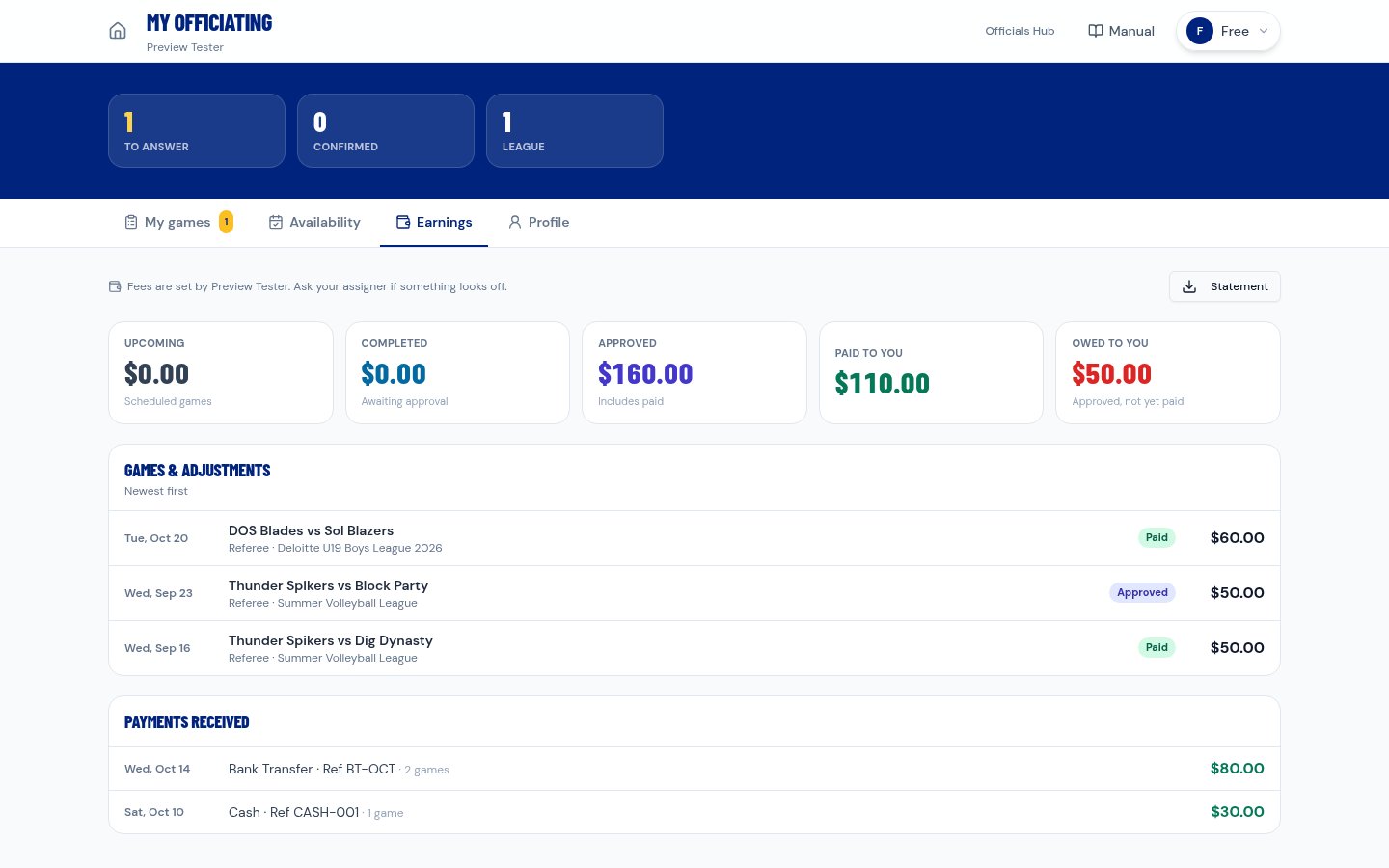
Officials get their own Officials Portal with their games to answer, their confirmed schedule, their availability and their earnings. One account works across every league they officiate for, and officials never pay.
Built for teams, not just one admin
Add schedulers by email to share the assigning work. Invites can include a link to our step-by-step Officials manual so new schedulers are productive on day one. Schedule collaborators see the games for the schedules they help manage.
Fix the record after the final whistle
Officials swap games at the last minute. With the Past games view you can correct who actually worked any game. Corrections are recorded as accepted without sending anyone a "please accept" email.
Pricing
The Officials Scheduling add-on is $299 per year and works with any Schedule Guru plan, including Free. Officials always join free, and full officials payment tracking is included at no extra cost.
FREQUENTLY ASKED QUESTIONS
How much does the Officials Scheduling add-on cost?
Do officials need to download an app or log in to accept a game?
What happens when I reschedule a game?
Can Schedule Guru stop me from double-booking a referee?
START BUILDING YOUR TOURNAMENT SCHEDULE
Free for up to 8 teams. No credit card. Public share URL + PDF, Excel, and iCal exports included.
Schedule Guru Team
Helping sports organizers create better tournaments with our free round robin schedule generator.